Auto-Inflection
If your conlang is inflected, you very likely have some type of particles or combining forms (like prefixes or suffixes) that are used (at least sometimes) to produce inflected word forms by a predictable pattern. Tollerus has a feature that can help you automate this process, called auto-inflection.
This feature is completely optional, so if you don't think you will benefit then you can certainly skip to writing word entries. You can also come back and set it up any time later. There is no accumulating consequence to going without it.
Set a base row
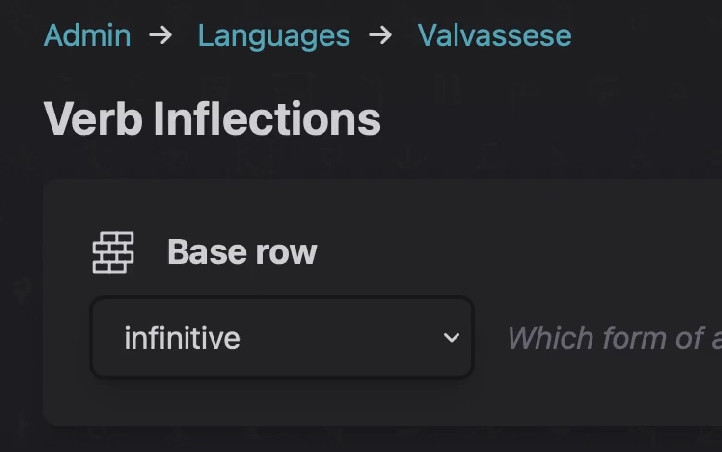
On each inflected grammar group, if you click "Edit inflection tables" then at the top of the page you will see a drop menu called "Base row."
This decides which word form is the root, or starting point, for deriving other word forms. Make sure it is set correctly.
Add combining-form entries
Next, add an entry for each combining form that you will use in auto-inflection. For example, if your "conlang" was English, you might add an entry for -ing that will produce the present participle of verbs.
- From the "Edit language" page, in the "Entries" tab, click "Add entry".
- Inside the new entry, click "Add word class" and pick the appropriate type of combining form.
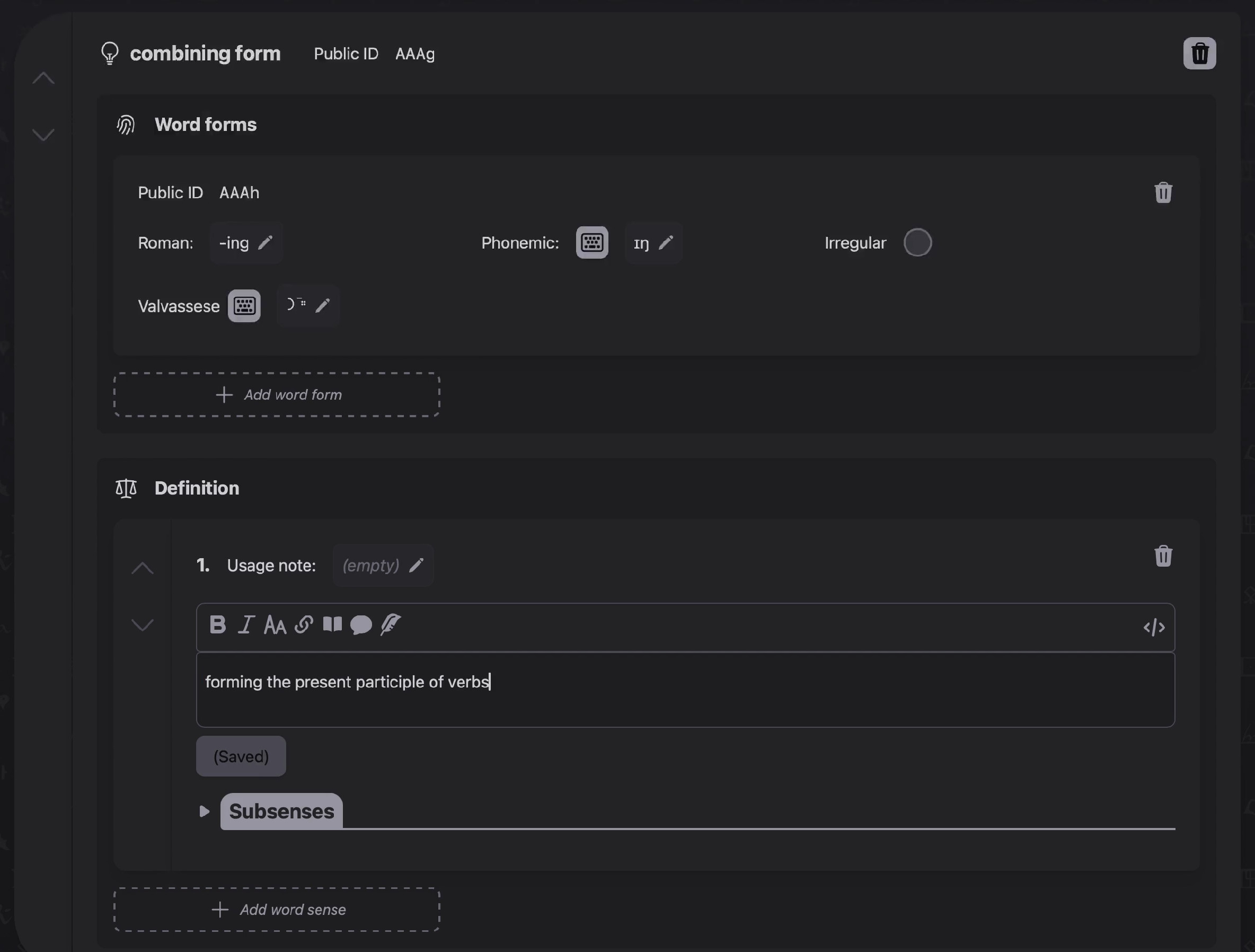
- Fill out the transliterated, phonemic, and native spellings.
- Add a sense under "Definition" and describe the morphological purpose of your combining form. For example, "forming the present participle of verbs."
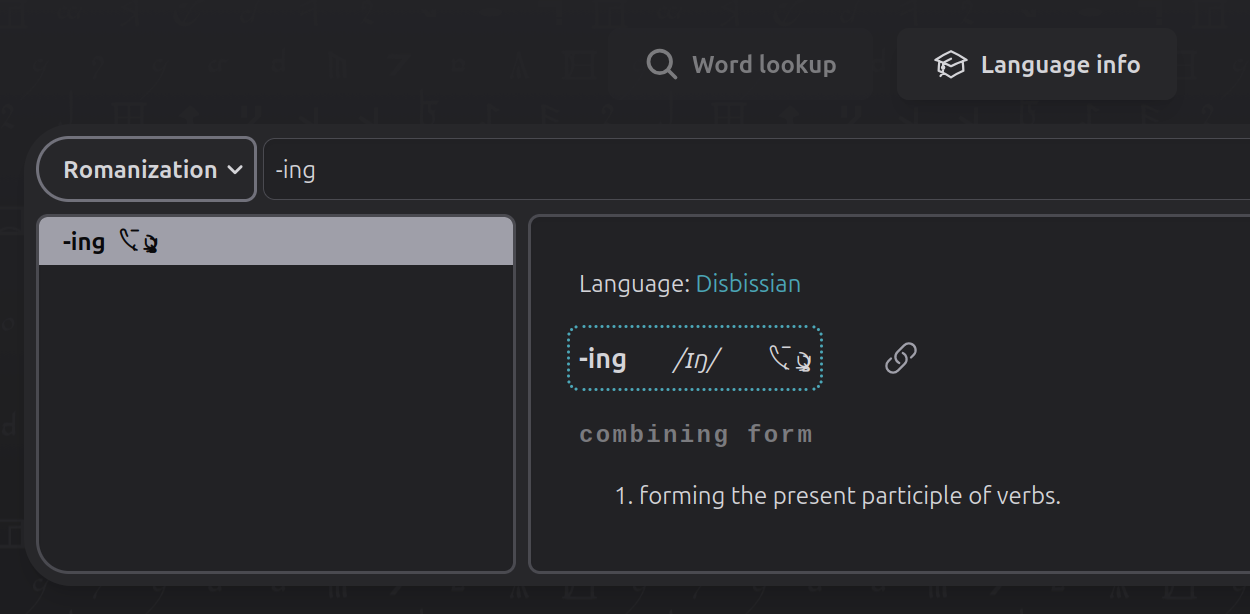
You should now have something like this:
| "-ing" in admin config | -ing as displayed for readers |
|---|---|
 |
 |
Repeat this process for each combining form, suffix, prefix, etc. that you will need.
Configure auto-inflection
Go to your Language > Grammar tab > Inflection tables, and edit a specific table. It should be one that contains an inflection row that's not your base row (because auto-inflection can't be configured on the base row itself). Find one of these non-base rows and click "Configure auto-inflection."
This brings you to the auto-inflection editor.
| The auto-inflection editor |
|---|
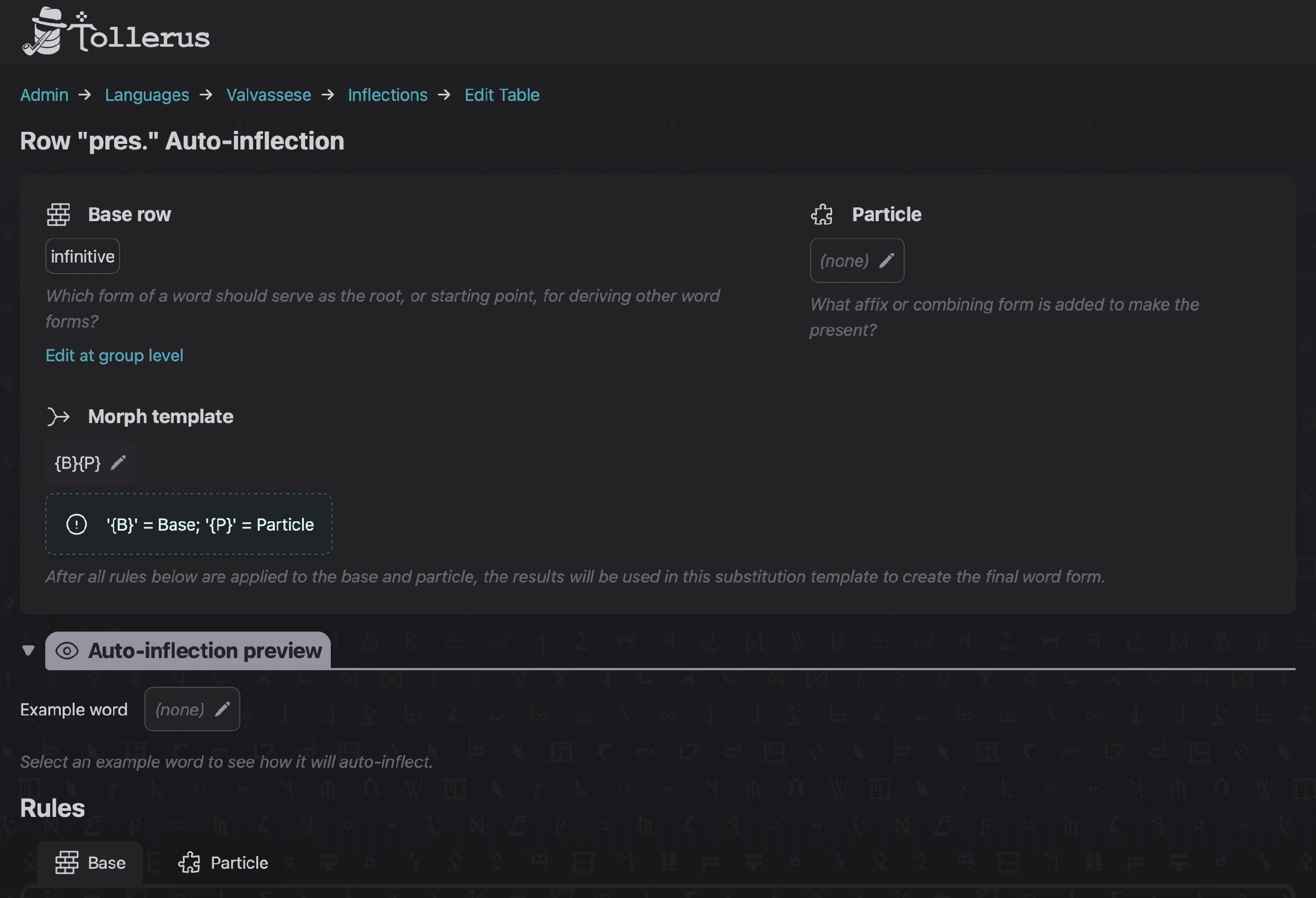 |
The base row is shown in the top left.
Select particle
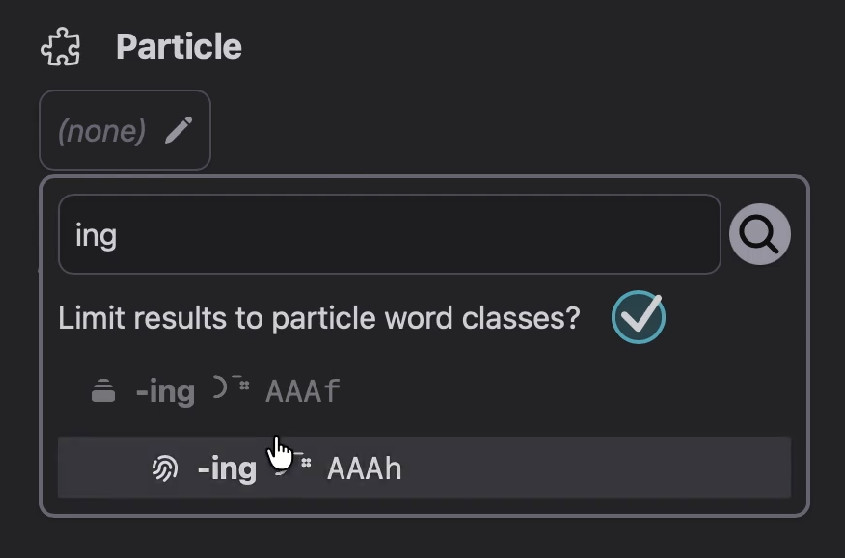
Use the word picker under "Particle" (in the top right) to select the combining form that you created above. Make sure to select the one that matches the inflection row whose auto-inflection you are editing.
TIP
If you are using Tollerus in a non-English locale, or if your conlang has an unusual word class name for this particle, the word picker may be a little less intelligent about helping you find it.
You can fix this by adjusting the particle_word_classes key in your config/tollerus.php file to include the proper word class name.
Morph template
The base row and the particle will be run through the morph rules you define (see below), and then combined according to the morph template on this page. It uses substitution tokens:
{B}= base{P}= particle
You will want to change this for example if you are using a prefix instead of a suffix, to swap the order of base vs. particle.
Auto-inflection preview
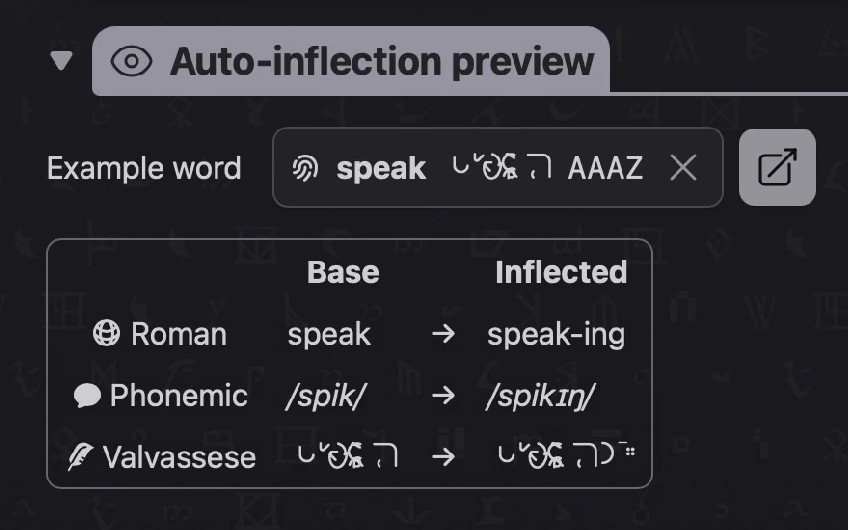
Here, you can set an example word to help you see the result of auto-inflection while you make edits.
Morph rules
At the bottom of the page, you'll find a "Rules" section with a series of tabs.
Normally, each word form contains at least 3 representations:
- transliterated,
- phonemic, and
- one native spelling for each neography that's enabled on the conlang
There is a space here to define morph rules on each individual representation of both the base row and the particle. The morph rules use Regular Expressions, which are highly technical but offer a lot of power and flexibility for programming your conlang's morphology.
Teaching Regular Expressions is out of scope for this documentation, but here are a few extremely basic ones that you might find useful:
| RegEx pattern | "Replace with" string | Purpose | Example use case |
|---|---|---|---|
^. |
none | Removes one character from the beginning of the source string | Hyphen at beginning of suffix |
.$ |
none | Removes one character from the end of the source string | Hyphen at end of prefix |
(?<=.).$ |
none | Removes one character from the end only if the source string is longer than 1 character | Avoids zero-length output |
You can also directly insert phonemic or native characters into the RegEx pattern if you want the match to depend on specific characters. This system should be theoretically capable of representing a large majority of conceivable morphology rules in a conlang. (Some notable exceptions are infixes and circumfixes.)
Repeat for each inflection row
Once you have configured auto-inflection for an inflection row, go to the next and repeat the process for any remaining non-base rows.
Next: Word Entries