Word Entries
On the Edit Language page, there is an "Entries" tab. This lets you browse or search existing entries in your conlang. You can add one, or click on an existing one, and it will open the Edit Entry page.
IMPORTANT
It is not recommended to add any word entries before setting up both grammar and inflection tables.
In fact, if your conlang has no word classes (see Grammar), then you cannot add any form or definition data.
The Edit Entry page has three main types of info:
- A word origin (optional)
- For each word class, a set of word forms
- For each word class, a definition with senses and maybe subsenses
Word Origin & Definition
The origin and definition fields are relatively simple. You can add/reorder senses of the word, and under each sense you can add/reorder subsenses if you want. These areas contain rich text fields that you can use however you like.
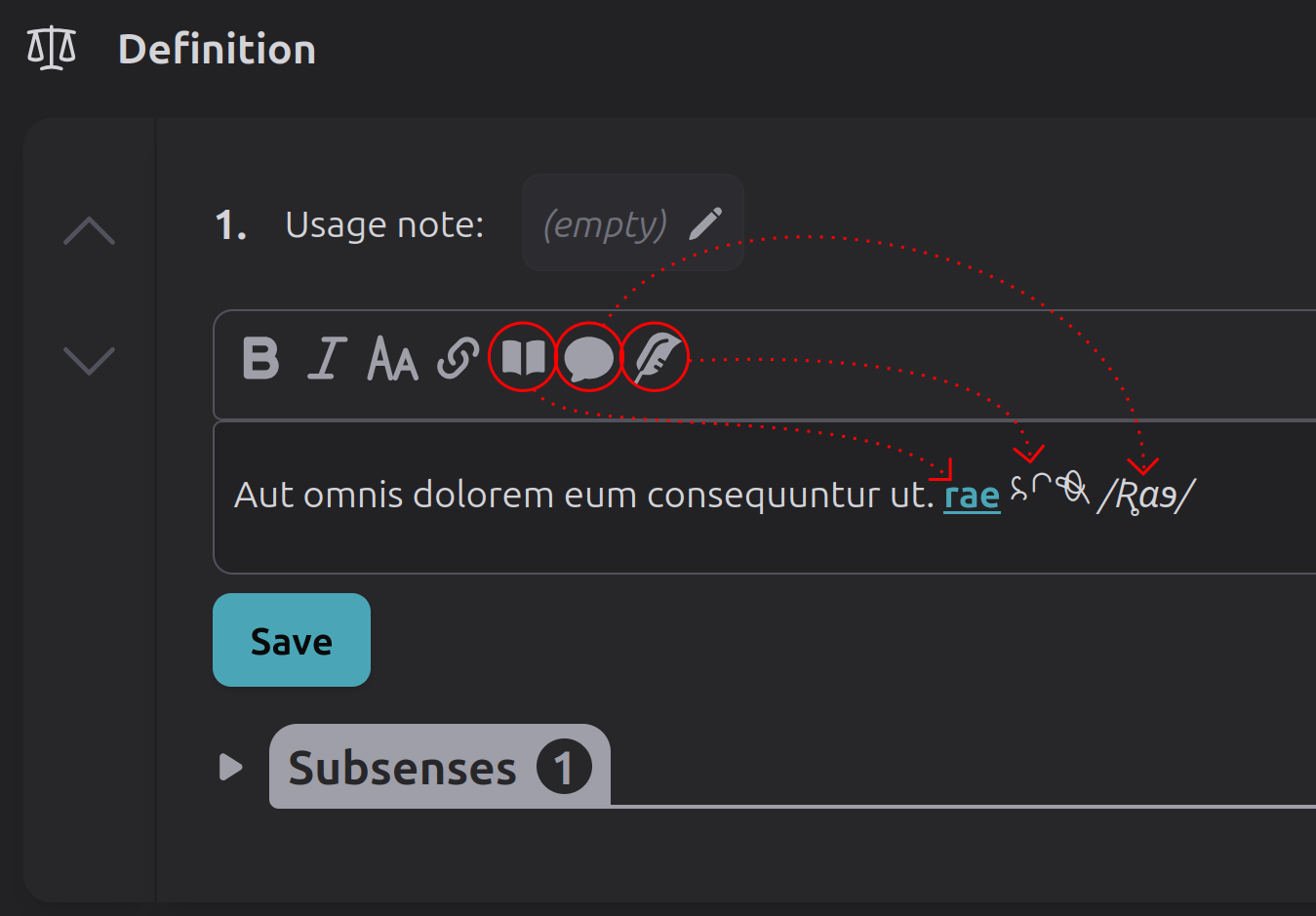
The rich text toolbar includes typical options like bold, italics, and hyperlinks. However there is also:
- A "Conlang word" button
- A "Phonemic" button
- A "Neography letters" button
"Phonemic" and "Neography letters" let you type with the respective virtual keyboards.
"Conlang word" lets you insert word hyperlinks. These are cross references between words in your conlang dictionary. If the reader clicks one, it will navigate them to the entry for that word.
TIP
If you have multiple related conlangs that you're building in Tollerus, you can even cross-reference from one conlang to another. This may be especially useful in the "word origin" field for things like loan words or parent languages.
Word Forms
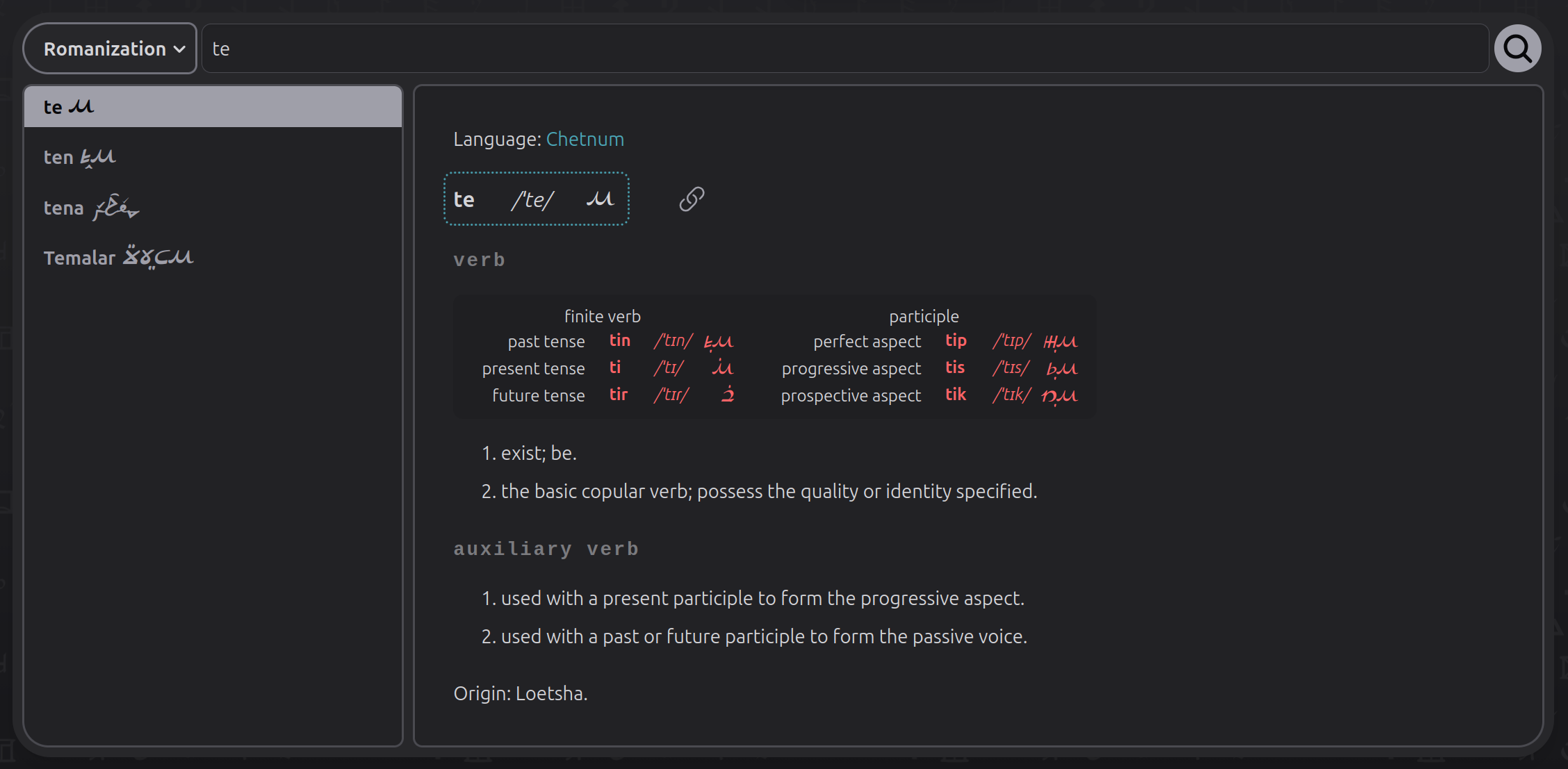
Each entry must have at least one word form on one of its word classes, or the entry cannot be displayed to readers. This form, used to represent and display the entry, is called the entry's primary form. Beyond this, non-inflected word classes do not need any word forms.
Inflected word classes should have word forms listed for at least one word class in that group. For example if you have a grammar group that contains both verbs and auxiliary verbs, and you write a word entry that has both of these, only one needs the word forms listed and the other can be empty.
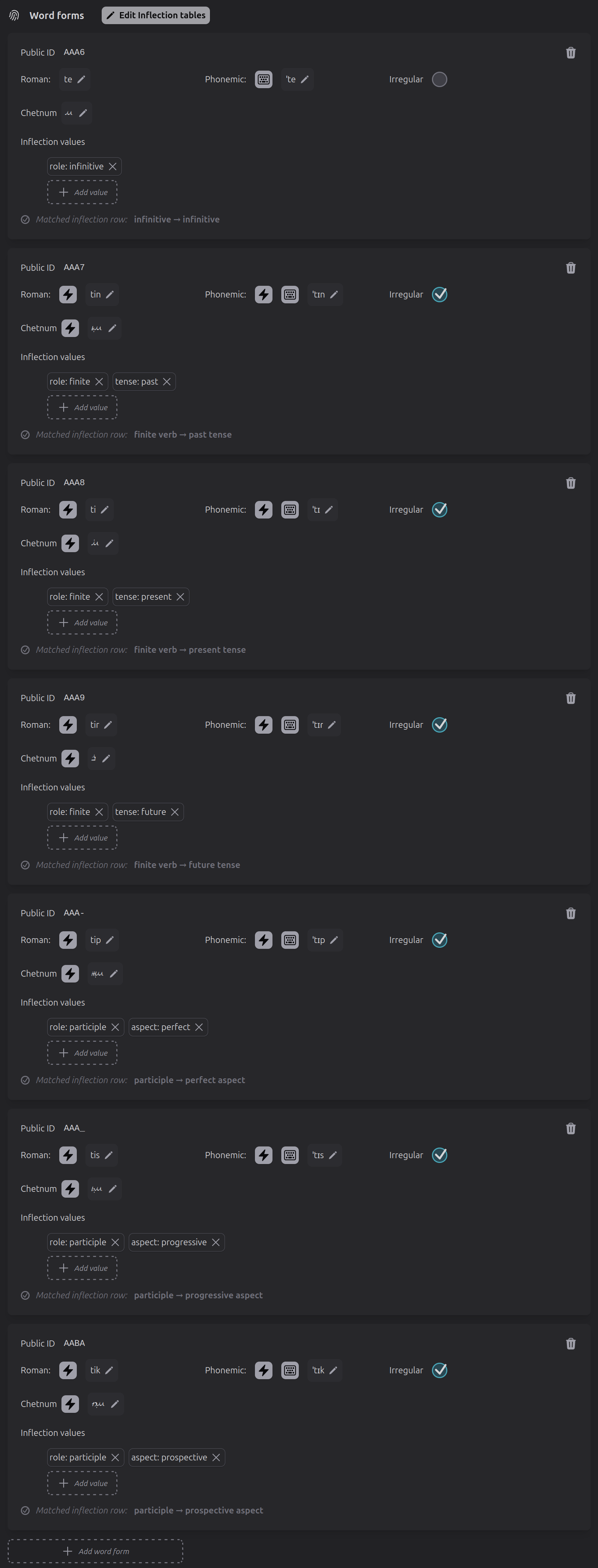
Word forms are added here in a flat list, but if they're inflected then each one needs to have grammatical features assigned to it which correlate it to a row in the inflection tables.
This part of Tollerus can be complicated. However, if you've already configured your conlang's inflection tables, then it does a good job of guiding you by various prompts and automated functions.
This is also where setting up auto-inflection significantly pays off, because it will offer little lightning-bolt buttons. Clicking one of these will auto-inflect the adjacent field.
| Word forms in admin config | Word forms in entry display |
|---|---|
 |
 |
Next: Customization